Curated pick
0.0
Feels like magic
Escherllate
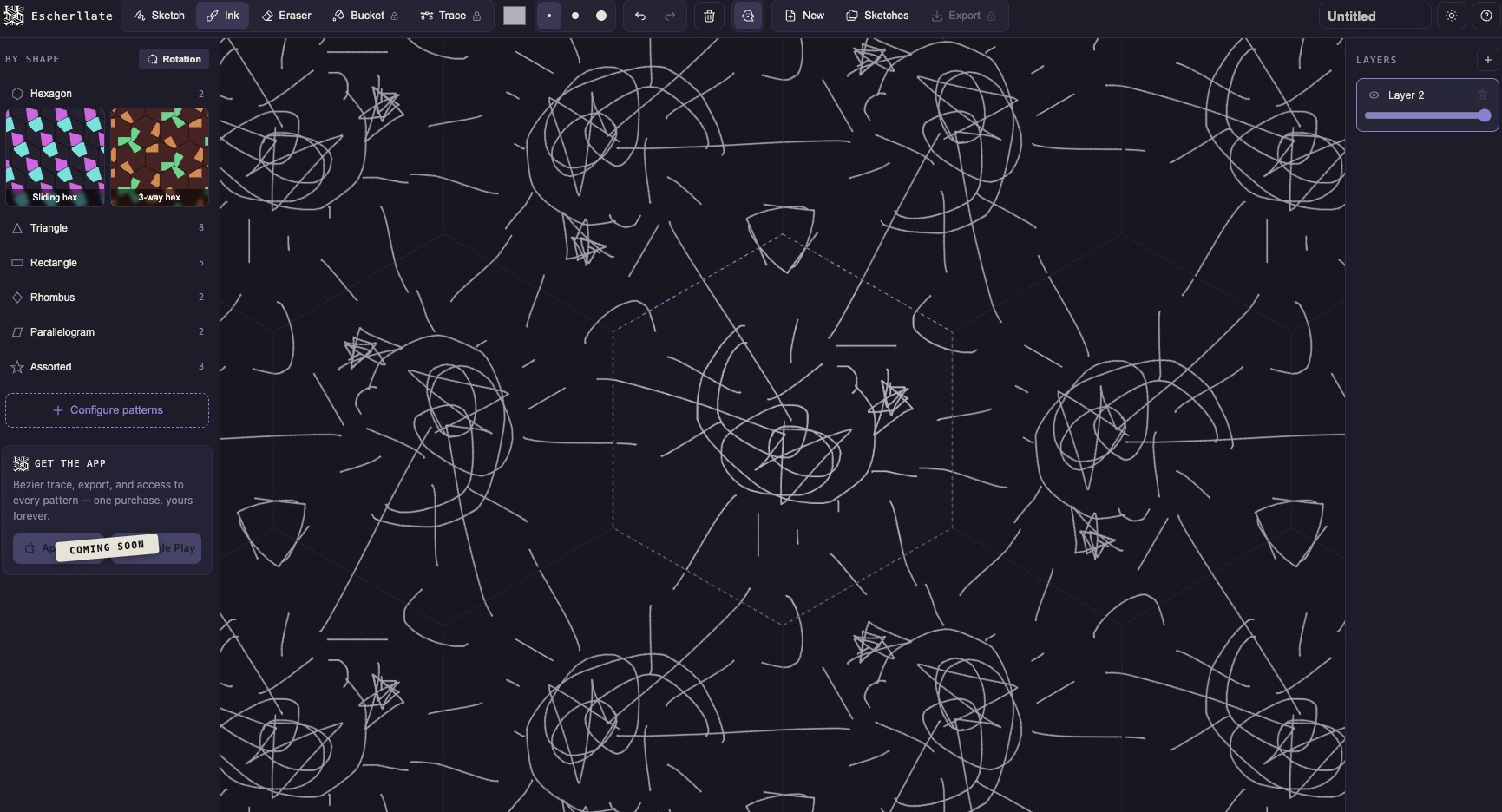
Escherllate is a lightweight, browser‑based tessellating sketchbook inspired by Escher‑style patterns. You draw on a single tile and instantly see your lines echoed across a seamless grid, making it ridiculously easy to explore symmetry, repetition, and pattern design without any setup or complex tools. From knitters brainstorming repeating motifs to artists experimenting with geometric art, Escherllate turns experimentation into instant visual gratification.
#Freemium
FreemiumPaid upgrades
AccountMay require signup
WebWorks in browser
ShareablePerfect to share
Preview Escherllate
A quick look before you open the app.
Account supported
A playful tessellation lab in your browser
Escherllate takes the intimidating idea of tessellation and turns it into something approachable and playful. Instead of forcing you to understand the math behind symmetry groups, it gives you a live sandbox: a single tile where every stroke is echoed automatically across a repeating grid. The result is an instant sense of cause and effect—draw here, watch it appear everywhere.
What makes it stand out is how low the barrier to entry is. There’s no registration, no complex UI, and no pressure to be “good at drawing.” Even quick, messy sketches can transform into surprisingly polished patterns once they’re tiled out. That makes it perfect for creative people who love patterns but don’t want to spend hours setting up grids and guides in heavyweight design software.
Because it runs entirely in the browser, Escherllate is also perfect for quick, spontaneous sessions—testing a color idea for a scarf, trying out a new motif for a crochet square, or roughing out a visual direction for a game level. The feedback loop is immediate and satisfying, turning the screen into a playground for symmetry‑obsessed minds.
How to use it
Open the Escherllate web app in your browser.
Start drawing on the main tile area using your mouse, trackpad, or stylus.
Watch as your strokes automatically repeat across the surrounding tiles to form a seamless pattern.
Experiment with different shapes, lines, and densities until you find a pattern you love.
Capture or export the resulting pattern for use in knitting charts, designs, or digital projects.
Use cases
Brainstorming repeating knitting or crochet motifs before committing to a pattern.
Designing seamless textures and tilesets for indie games.
Creating geometric wallpapers and backgrounds for websites or devices.
Teaching symmetry, tessellation, and pattern concepts in a visual way.
Relaxing with low‑pressure doodling that always looks more impressive when tiled.
Pros
Instant, highly satisfying visual feedback that makes experimentation addictive.
Very low barrier to entry—no account, no learning curve, just draw.
Great for both serious pattern work (knitting, game textures) and casual play.
Runs in the browser, so it’s accessible on most devices.
Cons
Limited to 2D line‑based drawing; not a full design suite.
May lack advanced export controls or pro features some designers expect.
Updates
We refresh app notes as tools change, especially around pricing, login requirements, and output quality.
Some advanced options may be paidAccount can help keep historyBest fit: artists, knitters, crocheters, game devs.